Web MIDI in 2026: Which Browsers Actually Work
Plugging a MIDI keyboard into your browser? Here's the no-fluff compatibility chart for Chrome, Edge, Safari, Firefox, iOS, and Android.
If you're plugging a MIDI keyboard into your laptop and nothing's happening, the answer is usually the browser. Web MIDI and Web Bluetooth aren't supported everywhere yet, here's the 2026 chart.
What works (USB MIDI + Bluetooth MIDI)
What doesn't
Why Apple blocks Web MIDI
Apple's WebKit team has refused to ship Web MIDI for years over fingerprinting concerns, MIDI devices report unique IDs that can identify a user. Same story with Web Bluetooth. As of 2026 there's no official roadmap for either.
What to do when MIDI isn't supported
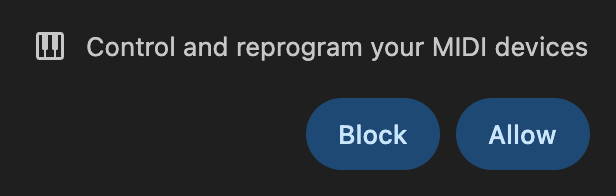
First time you plug in on a supported browser, you'll see this prompt. Click Allow once and future devices auto-detect.
---
Find a supported browser, plug in, and you're one click from real-time grading. Read the full setup guide or try it on any song.
Ready to start playing?
Put it into practice with thousands of color-coded, slow-down-able songs, free in your browser.