How to Practice Piano on iPhone or iPad (Mic Mode Guide)
Apple blocks Web MIDI on iOS. The microphone path works on every iPhone and iPad with any acoustic or digital piano.
> ⚠️ Update (2026-06): Microphone and Bluetooth input have been retired. Super Simple Piano now focuses exclusively on USB MIDI for the most reliable practice experience. See our USB MIDI setup guide for the current recommended flow.
Apple's iOS doesn't support Web MIDI or Web Bluetooth, so on iPhone and iPad, the microphone is the only way to get live grading. Here's how to set it up so it actually works well.
Why MIDI doesn't work on iPhone or iPad
Apple's WebKit (the engine behind every iOS browser, even Chrome and Edge for iPhone) blocks both Web MIDI and Web Bluetooth over fingerprinting concerns. There's no roadmap to add it.
The good news: mic mode works on every iPhone, iPad, and Mac with Safari, and it grades any acoustic or digital piano without needing a cable.
How mic mode works
Tap the 🎤 Mic button in the floating panel. The browser asks for microphone permission, tap Allow.
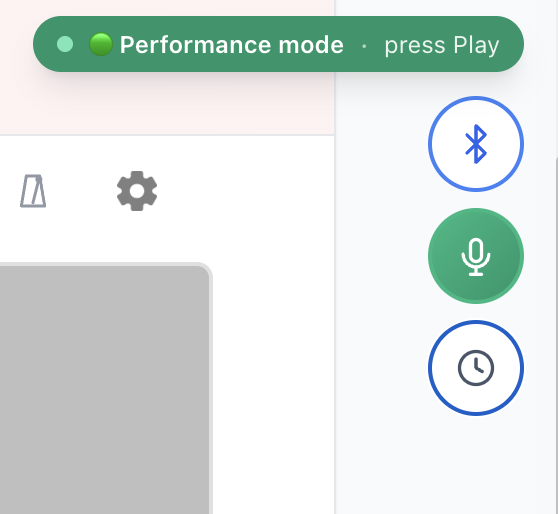
The badge flips to 🟢 Performance mode and the song's audio is muted so we only hear your real piano. Play and we detect the pitch in real time.
Setup for accuracy
Mic mode works best when:
Will it grade as accurately as MIDI?
For monophonic melodies (one note at a time), yes, pitch detection is reliable. For dense chord work, MIDI is still better because chord pitch detection is inherently fuzzy. Start with single-line pieces in Performance mode, then graduate to chords once you trust the setup.
Browser tips
---
Tap mic, play, get graded. Try it on any song or see the full real-piano setup guide.
Ready to start playing?
Put it into practice with thousands of color-coded, slow-down-able songs, free in your browser.