How to Practice an Acoustic Piano Online (Microphone Setup)
No MIDI port? No problem. Mic mode listens to your real piano and grades every note.
> ⚠️ Update (2026-06): Microphone and Bluetooth input have been retired. Super Simple Piano now focuses exclusively on USB MIDI for the most reliable practice experience. See our USB MIDI setup guide for the current recommended flow.
Got an acoustic piano with no MIDI port? You can still get live grading, Super Simple Piano's microphone mode listens through your phone or laptop and grades every note you play.
How mic mode works on an acoustic
Tap the 🎤 Mic button in the floating panel. Allow microphone access when the browser asks. The badge flips to 🟢 Performance mode:
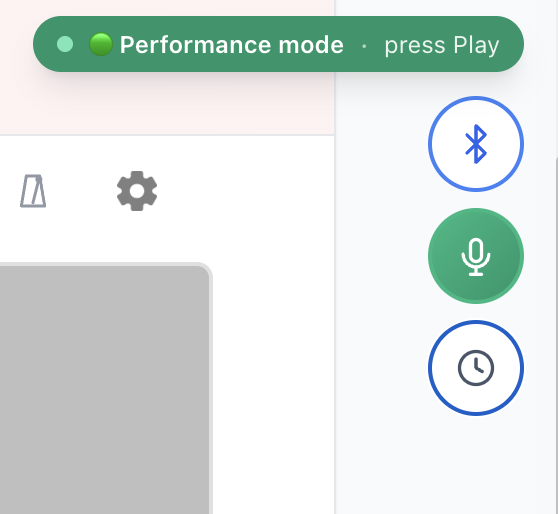
The song's audio is muted so we only pick up your real piano. As you play, pitch detection identifies each note and grades it in real time, green for hit, gray for missed.
Mic placement that actually works
Recommended USB mics under $50
If the built-in mic struggles, a basic USB condenser punches well above its price for piano:
Plug in over USB, select it as the input in your browser's mic picker, and mic mode jumps in accuracy.
Single-line vs chord accuracy
Mic mode is excellent for melody work. It's softer on chords because pitch detection on multi-note input is inherently fuzzier. Use Performance mode for melodies and switch to Waiting mode (the WAIT clock icon) when you want to learn a chord-heavy section note by note.
Browser support
Mic mode works in every browser, on every device, including iPhone, iPad, and Safari, which can't use MIDI. See the browser support chart.
---
Real acoustic, no cable, live feedback. Try it on any song or read the full setup guide.
Ready to start playing?
Put it into practice with thousands of color-coded, slow-down-able songs, free in your browser.