Get this sheet
PDF sheets + MIDI
Yours to keep
PDF sheets and the MIDI file. Yours to keep.
Instant download · no account needed
Or every song with Premium, from $4.99/moUp next

EZPiano
Free for iPhone and iPad
Play (Fantasy Pieces) on your own piano
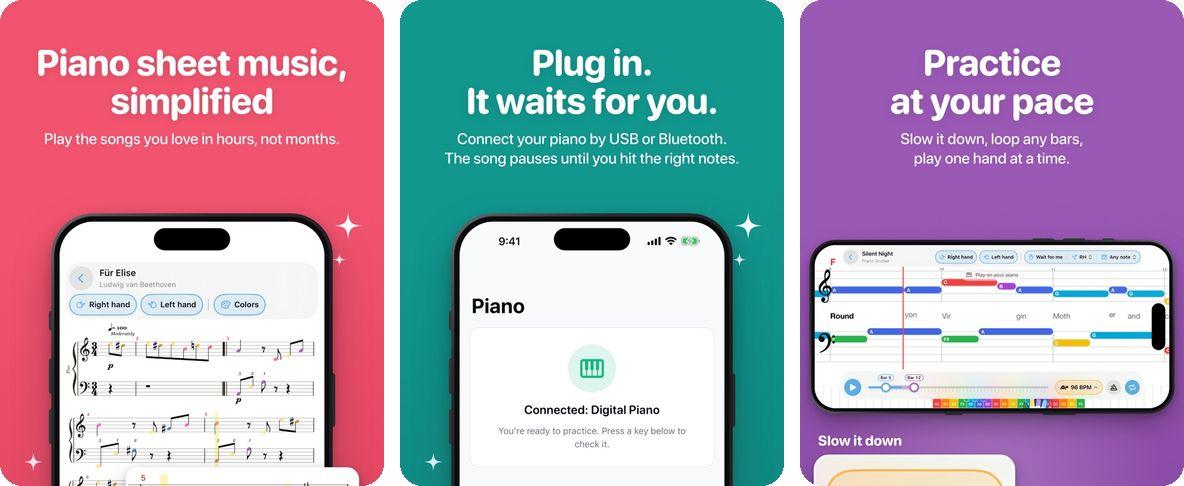
Plug in your piano by USB or Bluetooth. The song waits for you until you hit the right notes. Slow it down, loop any bars, play one hand at a time.
- 1Get the app. Free on the App Store.
- 2Sign in. Use the same email you unlock songs with.
- 3Connect your keyboard. By USB or Bluetooth, and play along.
Get EZPiano on the App StoreFree. Songs you unlock here open in the app too.
(Fantasy Pieces)
About “(Fantasy Pieces)”
This medium level song is in the key of C at 96 BPM. Uploaded by Daniel.
Lyrics
Lyrics
Aeeeveeasveveeceeveereesne
ce
IP a
s
PP
IP
F
(A)a cooe eee we du
wa
7d
f
SP
CE8C
Questions about this song (10)
- Is this the same engraved sheet music a piano teacher would print for "(Fantasy Pieces)"?
- Yes — the score is rendered server-side from the publisher MusicXML using Verovio (the same engine RISM and OpenScore use). Standard piano notation, treble + bass staves, real chord symbols, key signature C. Print-quality and identical to what you'd see in a printed piano book.
- What key is "(Fantasy Pieces)" played in?
- (Fantasy Pieces) is arranged in the key of C on Super Simple Piano. You can transpose to any other key live in the player.
- What's the tempo (BPM) of "(Fantasy Pieces)"?
- The arrangement plays at 96 BPM. Use the speed control (10-200%) to practice slower or play faster.
- Is "(Fantasy Pieces)" easy to play on piano?
- This is a medium-difficulty arrangement. Most players can learn it within a few practice sessions using the speed control.
- Can I download sheet music for "(Fantasy Pieces)"?
- Yes — registered users can download PDF sheet music, plus MIDI and MusicXML files for use in other notation software.
- Is this the same notation a piano teacher would hand me?
- Yes — "(Fantasy Pieces)" is rendered at engraver quality (the Verovio engine, the same toolkit RISM and OpenScore editions use) from the original publisher MusicXML. You get standard piano notation: treble + bass clefs, key signature C, time signature, beams, dynamics — everything a printed sheet music book would have. Great for piano students learning to read music properly.
- What's the difference between Sheet Music and the other modes here?
- Sheet Music is the "classic" view — the one your piano teacher uses. Other modes (Beginner, Fall Down, Simple Sheet, Lead Sheet) trade real notation for color-coded notes and falling shapes to help absolute beginners. Use Sheet Music once you're ready to read both hands at once from real notation.
- Can I practice from this view at my own pace?
- Yes — slow the tempo from 96 BPM down (or up) without changing the pitch. The score scrolls in time and the currently playing note is highlighted, so you can drill a tough bar at half speed and bump it up once it feels comfortable.
- Why can I click a note in the score?
- Every notehead is interactive. Click and the audio jumps to that moment so you can drill a specific phrase or bar instead of replaying from the top. The currently playing note is highlighted as the music advances so your eye never loses its place.
- Can I download the sheet music as a PDF?
- Yes — Sheet Music PDF is one of the download formats for this song. The engraved score prints page-perfect on A4 / Letter so you can practice from paper as well as on screen.
Other versions of (Fantasy Pieces)
Other arrangements of (Fantasy Pieces)
Pick a learning view.