Give us the score, we suggest the fingering, you make it yours.
Upload a MusicXML or MIDI file. The tool assigns a finger to every note in both hands for your hand size, then you fix any note right on the score and export MusicXML that Synthesia and every score reader show. Everything runs in your browser.
- Auto-add finger hints to your sheet music
- Auto-generate finger hints to practice in Synthesia
- Convert MIDI to sheet music with fingering
- Personalised to your hand size
A finger on every note — on the score, and on the falling notes.
The tool marks the fingering for both hands, you tweak anything on the score, and it exports so the numbers show up wherever you practise.
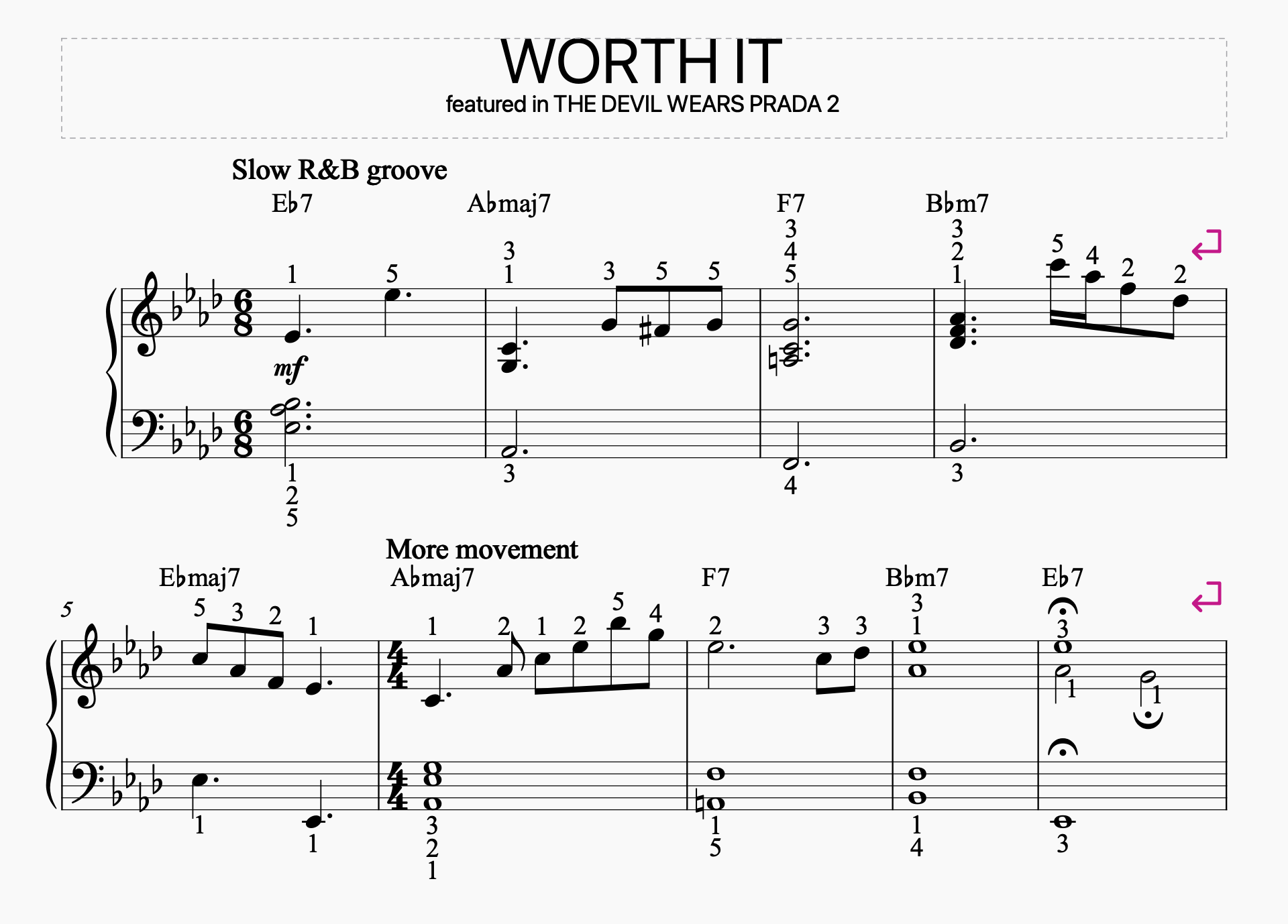
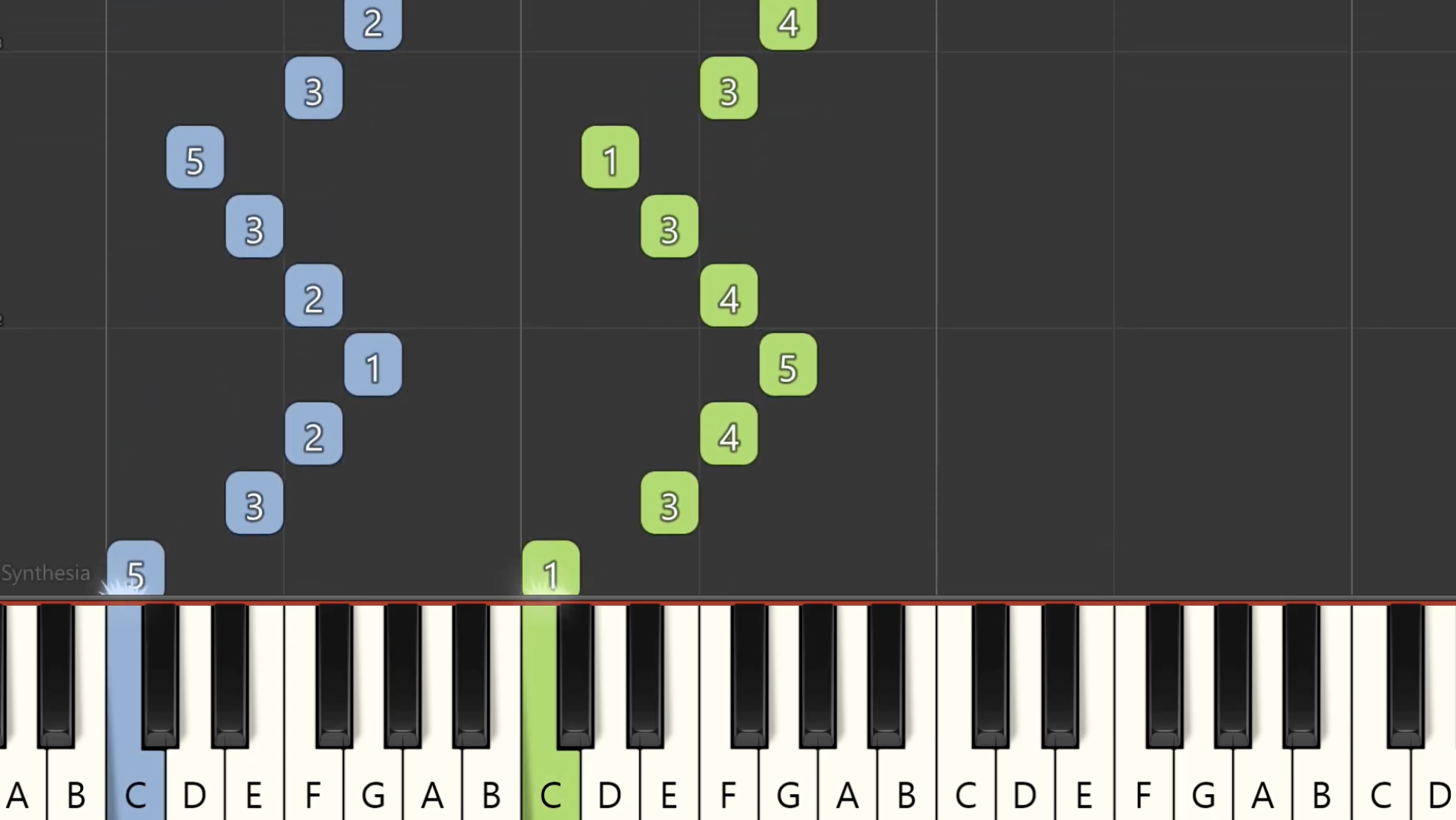
Writing piano fingering by hand is the slowest part of learning a piece.
Most scores ship with fingering for a handful of bars, or none at all. Everyone else pencils in numbers bar by bar, erases half of them a week later, and never gets them into the app they actually practise with.
It started with one Chopin nocturne and a very blunt pencil.
A student learning from a free PDF asked which finger to use on a descending run. The obvious answer, the one printed in the old edition, did not work for her hand. Reworking two pages of fingering took a full lesson, and by the next week the sheet was covered in three layers of eraser marks.
The decisions themselves are mechanical: how far the hand can reach, where the thumb goes under, which position lets the next bar start comfortably. That part a computer can do. Judging whether it feels right is the part that stays with the player, so the tool suggests, and you keep the last word on every note.
Fingering is personal. We suggest, you personalise it for your own use case.
There is no single correct fingering for a bar. It depends on your hand, your tempo, what you played before it and what you are practising for. The tool gives you a complete, playable starting point in seconds, then hands you every note to change: one finger, a whole bar, or the entire piece at a different hand size.